Wednesday, February 24, 2021

Find Details About Your CPU In a Minute

It's hard to find the details of the CPU  and Memory because it needs lot of effort to know details through your command prompt and power shell and system settings.
But Computer Developers have developed different application which provides the core information about system.
To know the details simply Download CPU-Z which is executable in windows and provides all the information about you system.


You can detail about CPU , Mainboard , Memory as well as Graphic in your system.

Tuesday, February 23, 2021

Best Flash Drive That you Should Buy!!!!!!!!!!!!!

When you think  to buy Pendrive or Flash drive then you want to buy best among all other in budget. 

There may arise few question in your mind that what makes the pendrive or flask drive  best.


There are lot of things that must be consider while choosing the best pendrive to buy i.e. storage , chipset , data transfer , durability and the price .

So  I have found the some of pendrives that are best to use for personal use in long term. 

1.Patriot Supersonic Rage 2 USB flash drive

    If your flash drive needs demand blazing fast speeds, then one of the best USB flash drives to consider is the Patriot Supersonic Rage 2 is definitely the one for you. Sure, the price is high, but we were blown away with just how fast this device is. If you need to move around large files quickly, then this is definitely worth the cost.

It also comes with 128GB of storage space, which is a phenomenal amount to carry around in your pocket. Just make sure you don't lose it! 

It is the best one but unavailable in Nepal.

2. Kingston Technology DataTraveler 

At times, when purchasing a USB flash drive, the cost of postage and packaging actually constitute more of the price than the USB stick itself. However, the Kingston Technology DataTraveler 100 Generation 3 is incredibly compact and an affordable drive that is more than worth the cost of shipping. This flash drive is the most affordable 64GB USB 3.0 drive on the market, touting read/write speeds of 150Mbps and 70Mbps respectively to make it worth every cent.


3. SanDisk USB flash drive

The brilliantly priced SanDisk Extreme CZ80 is among the best USB drives, as it offers plenty of storage space and fast file transfer speeds. Be prepared to be impressed as while it’s priced more towards the budget end of USB sticks, its performance is anything but budget. This one’s is a speedy little performer. 

Plus, the slide-out design of this stick means you can tuck the USB interface into the body when not in use, protecting it and minimizing the risk of it getting damaged when you're carrying it around.


4.Transcend

It is the most selling pendrive in bangladesh due to most affordable in budget comparatively to others but it is slower than all other listed usb pendrive.


5. All other company Pendrive


All other company pendrive are cheap but they are not reliable compare to above listed pendrive and can be damaged at regular used or if u want to change the filesystem of the pendrive while formatting .

Friday, February 19, 2021

How To Make Bootable Pendrive

Now a days it hard to find windows installation media in CD . So we have another options that is usb drive and to use usb drive as windows installation media its should be made bootable.


Before making Usb-drive to bootable Usb drive we must have knowledge of partition and file system which are used in  desktop as well as laptop.


Requirements
1. Pendrive greater thean 8 gb
2. Rufus software 
3. windows iso file 


Step 1. You have to get the windows iso file or you can download file from the internet.
Step 2. Download Rufus software from the internet and install the latest version.
Step 3. When you insert the usb drive , Rufus software will detect the drive and  you will get options to select windows installation file as shown in the figure .
Step 4. It will automatically detect the partition scheme and file system but you should know which partition scheme you are going to use  in your pc or laptop.
Step 5. Click on Start to start the process and wait until the process ends.
Step 6. Eject the usb drive and then insert  into the another pc to which you want to boot.

Friday, October 9, 2020

How to share your wifi internet connection to another computer with ethernet cable

 Step 1 : Goto Run command dialogue box  by pressing key Win + R


Step 2 : Type  ncpa.cpl and hit enter to open network connection as shown in above figure.

Step 3 : Select the wifi and right click on it and goto its properties.

Step 4 : Click on the sharing tab and then click allow and select the ethernet in home networking dropbox. 


Tuesday, August 25, 2020

How To Delete Pages In Word

 Microsoft  word is commonly used for the editing and formatting the text and document.People feel hard to delete the blank page and whole page at once.

There are three ways to delete the pages in the Microsoft word .

First one : Using Backspace 

Second one : Using Goto page

Third one : Using Navigation Pane

I think there is no need to explain using the backspace.

Using Goto page----->  Find the page you want to delete and click on that page and Use the shortcut key ctrl + G to open goto dialog box and type  all shown in red color    "\page" and hit enter .

You will see that all the text in particular page will be selected and hit delete to delete the whole page.

It seems like selecting whole text in that page and deleting but it is slightly different from that one because it does not effects ur format of the page.

Tuesday, August 18, 2020

How To Add FM/Radio Into Your Blog

There are different ways to add the FM or Radio station in to blog and website.There are alot of plugins available which support to podcast your Fm or Radio station in your web-page.

  One 

Step 1: Find the embedded code for the radio station or Fm station from the google or any search engine. Step 2: Goto the page layout and add gadget and click on Html/JavaScript and paste the embedded code there and save it and refresh the page. 

  Two 

If you do not find the embedded code for the Radio station or Fm then you have to create the embedded code for particular station.

Step 1: You must find the website where you can play that station and then extract URL form the website from that web-page. 
Step 2: create the embedded code for extracted URL with the help of embedded code generator which you can get easily on google or you can try at Embedded Code Generator
Step 3: Copy the code and paste it where you want to display Radio station and FM station 
Step 4: Now refresh and play.

I have created embedded code for the Ujjyalo Radio Network. You can simply copy and paste this code on your blog or web-page.

<audio width="300" height="48" controls="controls"><source src="http://node-21.zeno.fm/h527zwd11uquv?rj-ttl=5&rj-tok=AAABdAGAqAcAy6dlzsqJEV34-Q" type="audio/mpeg"/>Your browser does not support HTML5 audio. Please update your browser to view this media content.</audio>

Saturday, April 25, 2020

How to write ku in preeti font


To Type कु in Word Using Preeti Font 

when you try to type कु then you will see typing like this क' so you have to change some settings in the word.

Open word and click on the file, you will see word option or only option as shown in fig 

and click on the "option" new pop up will open  as shown in the fig


and you will there proofing in the left side , click on it and then on the auto correct option and new popup will open.

After that un-check the straight quotes with smart quotes and save it.
Now you can type कु।

Nepali Typing Skills

It is easy to learn English Typing but hard to learn Nepali Tying and it requires passion and time to learn Nepali Typing. In this Article you will to trip and tricks which helps you to learn Nepali Typing easily and quickly.
1. To learn Nepali Typing you must have good knowledge of English Typing 
       There are only 26 letters in English language but Nepali language contains 36 letters so you must know typing skill of number rows which helps to typing fast in Nepali Language.
2. Type regularly for at least one hour a day.


Now you must have do some settings so that you can typing letters correctly in the word such as कु

How To Type कु In word


Friday, April 3, 2020

Word Shortcut Keys From A to Z

Shortcut keys are easier to use and save the maximum time while editing the document and makes us look like as pro.Lets looks the all the shortcut keys used in the word that can be useful while using the word document.

Ctrl + A = Select all the text in the word
Ctrl + B = Makes the selected word Bold
Ctrl + C = Copy the selected text to be paste
Ctrl + D = Opens the font dialog box
Ctrl + E = Makes the text alignment center
Ctrl + F = To find anything in word
Ctrl + G = Go to option to go to required page
Ctrl + H = Find and replace text
Ctrl + I =  Makes the selected text Italic
Ctrl + J = Justify the paragraph where cursor is placed
Ctrl + K = Makes  the hyperlink text
Ctrl + L = Left alignment
Ctrl + M = Paragraph Indent i.e Gives space in left side of the paragraph
Ctrl + N = Opens new document file
Ctrl + O = Open the open dialog box to choose the file you want to open
Ctrl + P = Print the document
Ctrl + Q = Removes the paragraph indent
Ctrl + R = Right alignment
Ctrl + S = Save the file
Ctrl + T = Hanging indent i.e leaves the first line of paragraph and shift all other line to right
Ctrl + U = Underling the text
Ctrl + V = Paste the copied text
Ctrl + W = Close the open file
Ctrl + X = Cut the selected text
Ctrl + Y = Redo for forward action
Ctrl + Z =Redo for backward action

Wednesday, March 18, 2020

Public Service Commission ( Loksewa Aayog )

This post is for the helping all the student who are preparing for loksewa aayog examination.I have posted all the important links where you can find the stuffs for your preparation .


For the old question or model question you can follow the given links or click on the following topics.

1.lok-sewa-aayog-officer-level-questions

2.lok-sewa-aayog-assistant-level-questions


If You are preparing for the post of Computer operator then the most useful website for mcq question here .

1. Computer Operator Loksewa

All above links are of website now lets look over some you-tube channels so that you can understand the tips and tricks to solve the questions easily and within no time.

1. Teach For Nepal

2.Nepal Smart Loksewa

3.Loksewa Gyan

Top Five Browser

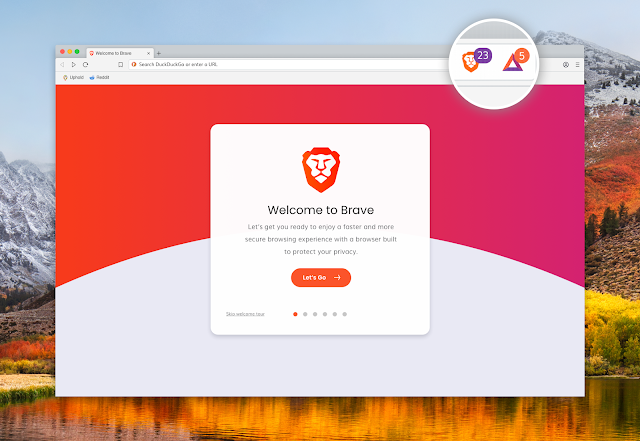
1 . Brave Browser Brave  Browser   is one of the best browser in the list even it is similar to all other browser because it has one of ...