Wednesday, February 24, 2021
Find Details About Your CPU In a Minute
Tuesday, February 23, 2021
Best Flash Drive That you Should Buy!!!!!!!!!!!!!
When you think to buy Pendrive or Flash drive then you want to buy best among all other in budget.
There may arise few question in your mind that what makes the pendrive or flask drive best.
There are lot of things that must be consider while choosing the best pendrive to buy i.e. storage , chipset , data transfer , durability and the price .
So I have found the some of pendrives that are best to use for personal use in long term.
1.Patriot Supersonic Rage 2 USB flash drive
2. Kingston Technology DataTraveler
3. SanDisk USB flash drive
4.Transcend
5. All other company Pendrive
Friday, February 19, 2021
How To Make Bootable Pendrive
Friday, October 9, 2020
How to share your wifi internet connection to another computer with ethernet cable
Tuesday, September 1, 2020
Tuesday, August 25, 2020
How To Delete Pages In Word
Microsoft word is commonly used for the editing and formatting the text and document.People feel hard to delete the blank page and whole page at once.
There are three ways to delete the pages in the Microsoft word .
First one : Using Backspace
Second one : Using Goto page
Third one : Using Navigation Pane
I think there is no need to explain using the backspace.
Using Goto page-----> Find the page you want to delete and click on that page and Use the shortcut key ctrl + G to open goto dialog box and type all shown in red color "\page" and hit enter .
You will see that all the text in particular page will be selected and hit delete to delete the whole page.
It seems like selecting whole text in that page and deleting but it is slightly different from that one because it does not effects ur format of the page.
Tuesday, August 18, 2020
How To Add FM/Radio Into Your Blog
One
Two
If you do not find the embedded code for the Radio station or Fm then you have to create the embedded code for particular station.
Saturday, April 25, 2020
How to write ku in preeti font
To Type कु in Word Using Preeti Font
and click on the "option" new pop up will open as shown in the fig
and you will there proofing in the left side , click on it and then on the auto correct option and new popup will open.
After that un-check the straight quotes with smart quotes and save it.
Nepali Typing Skills
1. To learn Nepali Typing you must have good knowledge of English Typing
There are only 26 letters in English language but Nepali language contains 36 letters so you must know typing skill of number rows which helps to typing fast in Nepali Language.
2. Type regularly for at least one hour a day.
Now you must have do some settings so that you can typing letters correctly in the word such as कु
How To Type कु In word
Friday, April 3, 2020
Word Shortcut Keys From A to Z
Ctrl + A = Select all the text in the word
Ctrl + B = Makes the selected word Bold
Ctrl + C = Copy the selected text to be paste
Ctrl + D = Opens the font dialog box
Ctrl + E = Makes the text alignment center
Ctrl + F = To find anything in word
Ctrl + G = Go to option to go to required page
Ctrl + H = Find and replace text
Ctrl + I = Makes the selected text Italic
Ctrl + J = Justify the paragraph where cursor is placed
Ctrl + K = Makes the hyperlink text
Ctrl + L = Left alignment
Ctrl + M = Paragraph Indent i.e Gives space in left side of the paragraph
Ctrl + N = Opens new document file
Ctrl + O = Open the open dialog box to choose the file you want to open
Ctrl + P = Print the document
Ctrl + Q = Removes the paragraph indent
Ctrl + R = Right alignment
Ctrl + S = Save the file
Ctrl + T = Hanging indent i.e leaves the first line of paragraph and shift all other line to right
Ctrl + U = Underling the text
Ctrl + V = Paste the copied text
Ctrl + W = Close the open file
Ctrl + X = Cut the selected text
Ctrl + Y = Redo for forward action
Ctrl + Z =Redo for backward action
Wednesday, March 18, 2020
Public Service Commission ( Loksewa Aayog )
For the old question or model question you can follow the given links or click on the following topics.
1.lok-sewa-aayog-officer-level-questions
2.lok-sewa-aayog-assistant-level-questions
If You are preparing for the post of Computer operator then the most useful website for mcq question here .
1. Computer Operator Loksewa
All above links are of website now lets look over some you-tube channels so that you can understand the tips and tricks to solve the questions easily and within no time.
1. Teach For Nepal
2.Nepal Smart Loksewa
3.Loksewa Gyan
Top Five Browser
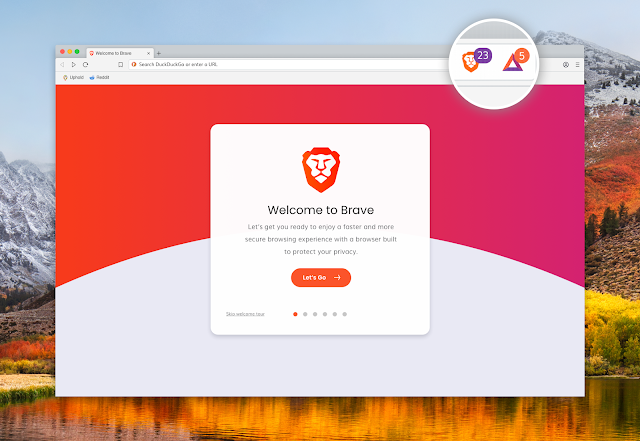
1 . Brave Browser Brave Browser is one of the best browser in the list even it is similar to all other browser because it has one of ...
-
Wi-Fi extender helps to boost the weak signal and increase the signal. Similarly you can boost the weak signal with the help of your smart p...
-
BDCOM OLT Configuration Login to the Bdcom Olt Command To See About Interface Show interface brief Command to see ip interface ...